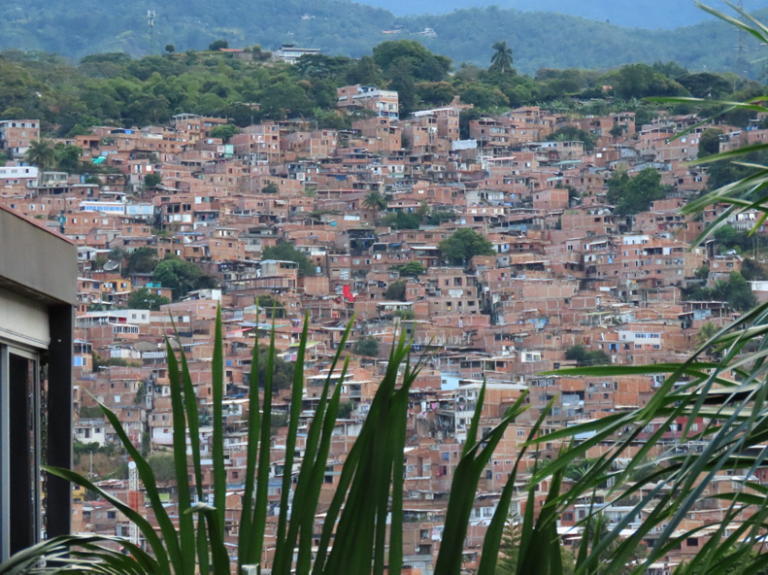
Drone imagery is increasingly vital for humanitarian and community mapping. More organizations and local groups are capturing their own aerial data or using openly shared imagery. This trend is driven by the high cost of satellite imagery, changes in open-source licensing, and the frequent lack of up-to-date or comprehensive coverage in existing imagery.
Through our work with practitioners and humanitarian actors, we’ve heard a consistent message: communities and organizations seek greater independence and flexibility in accessing imagery, along with precise coverage tailored to their specific needs and timelines. Integrating drone imagery directly into the Sketch Map Tool has been one of the most frequent asks from the community.
This is exactly where OpenAerialMap Browser+1 (OAM) comes in. OAM is an open service and toolset for searching, sharing, and using openly licensed satellite and drone imagery. It serves as a shared global resource for aerial imagery contributed by humanitarian organizations, local drone pilots, and mapping projects worldwide.
At the same time, community-based ground mapping has become more important. Local knowledge provides essential context that aerial imagery alone cannot offer. However, this presents a challenge:
How can teams easily integrate drone imagery into their on-the-ground mapping workflows?
TheSketch Map Tool is an easy-to-use tool for participatory mapping through offline collection, digitization, and georeferencing of local data. Connecting directly with OpenAerialMap (OAM), an open repository of drone and aerial imagery. Users can instantly add OAM images as a background layer using the image ID. No downloads or preprocessing are required.
This means that local actors who already host their drone data on OAM, or who work with partners that do, can go from freshly captured imagery to printed, annotated community maps and back to digital GIS layers in a single, coherent workflow.
Key benefits
- Faster disaster assessments with up-to-date shared drone imagery
- Improved accuracy in settlement and community planning
- Enhanced environmental and land-use monitoring
- Increased collaboration through OAM’s open-data model
- More inclusive participation: communities can work with imagery they or their partners collected themselves, instead of relying only on global satellite basemaps.
This integration streamlines the combination of current aerial imagery with local, community-generated insights, bringing the strengths of both into a single workflow.
How it works
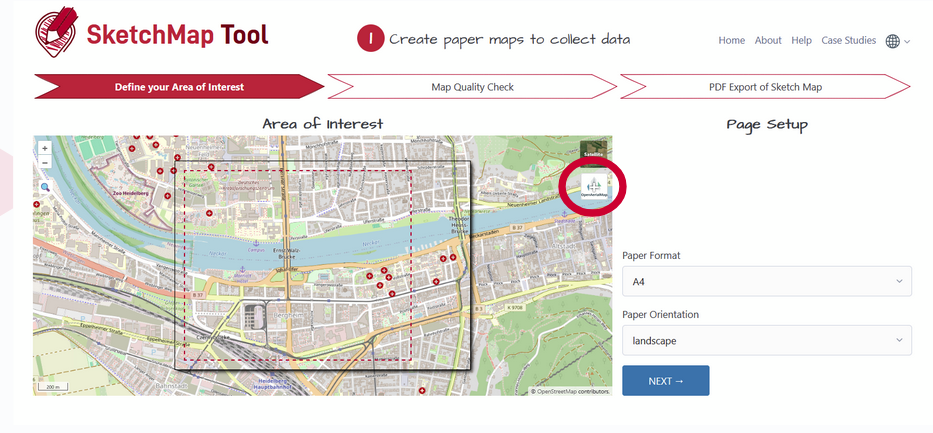
When creating a Sketch Map, you can choose between OpenStreetMap data and ESRI Satellite imagery as background layers. Now, a new button allows direct integration of imagery from OAM:
Clicking on the symbol…
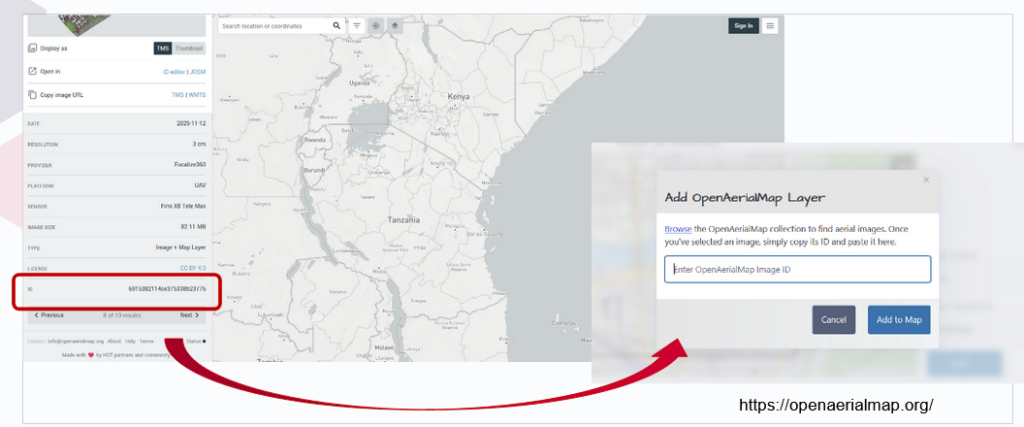
…will open a window in which you can insert the image ID of the image of interest (copy from OAM)
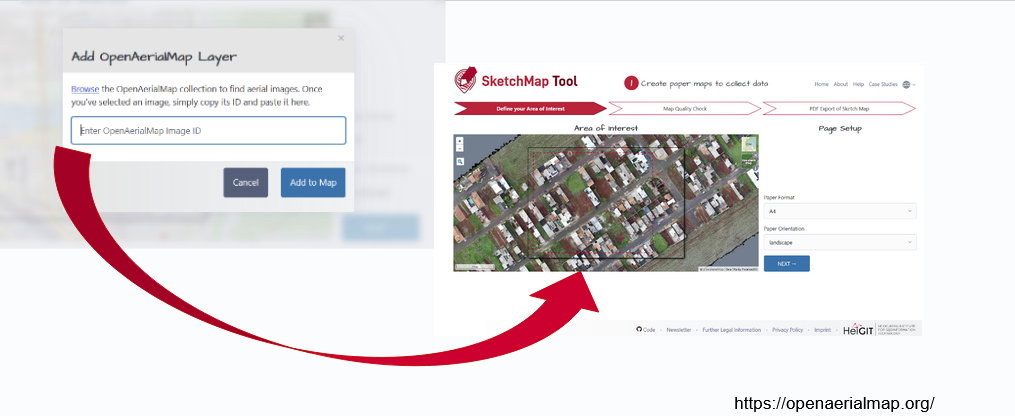
Adding the ID will open the image directly as a background layer in the Sketch Map Tool:
Just three simple steps empower anyone to turn their own—or openly shared—aerial imagery into participatory maps, giving communities a practical alternative when they can’t use OSM or prefer not to rely on commercial data.
And we have another pre-Christmas gift: Apart from the OAM integration, the marking detection has been further enhanced: While previously all detected markings were treated as polygons, a new post-processing algorithm now enables the detection of point features. These will now be provided along with the polygons when downloading the extracted data as geodata. Opening up even more use cases and facilitating broader use of the tool.
Both of these new features were enabled through continuous support from the German Red Crossand financial support by the German Federal Foreign Office.
To learn more about how the Sketch Map Tool works, watch this quick video tutorial or directly visit the project webpage. To stay up to date on new Sketch Map Tool releases and case studies, you can subscribe to the Sketch Map Tool Newsletter.
Questions or ideas on how to next use the Sketch Map Tool? Write us at sketch-map-tool@heigit.org. We are looking forward to getting in touch.